



If you run a cross-border e-commerce business in 2026, you already know this: platform risk control systems are stricter than ever. Amazon, Shopee, Shopify, Walmart — every major platform is deploying increasingly intelligent algorithms to detect multi-store associations. Get flagged, and you face anything from reduced visibility to a permanent ban that wipes out months of investment.
Many sellers think anti-association is just“one store, one IP.”But the reality is far more complex. IP addresses are only the most basic layer of association detection. Device fingerprints, browser environments, registration details, payment methods, and even operational behavior patterns are all under scrutiny.
This guide breaks down everything you need to know about cross-border e-commerce multi-store anti-association — from how platforms detect linked accounts, to step-by-step isolation techniques, to building a secure operating environment with static residential IPs and anti-detect browsers. Whether you run Amazon store groups, Shopee local stores, or Shopify sites, this applies to you.
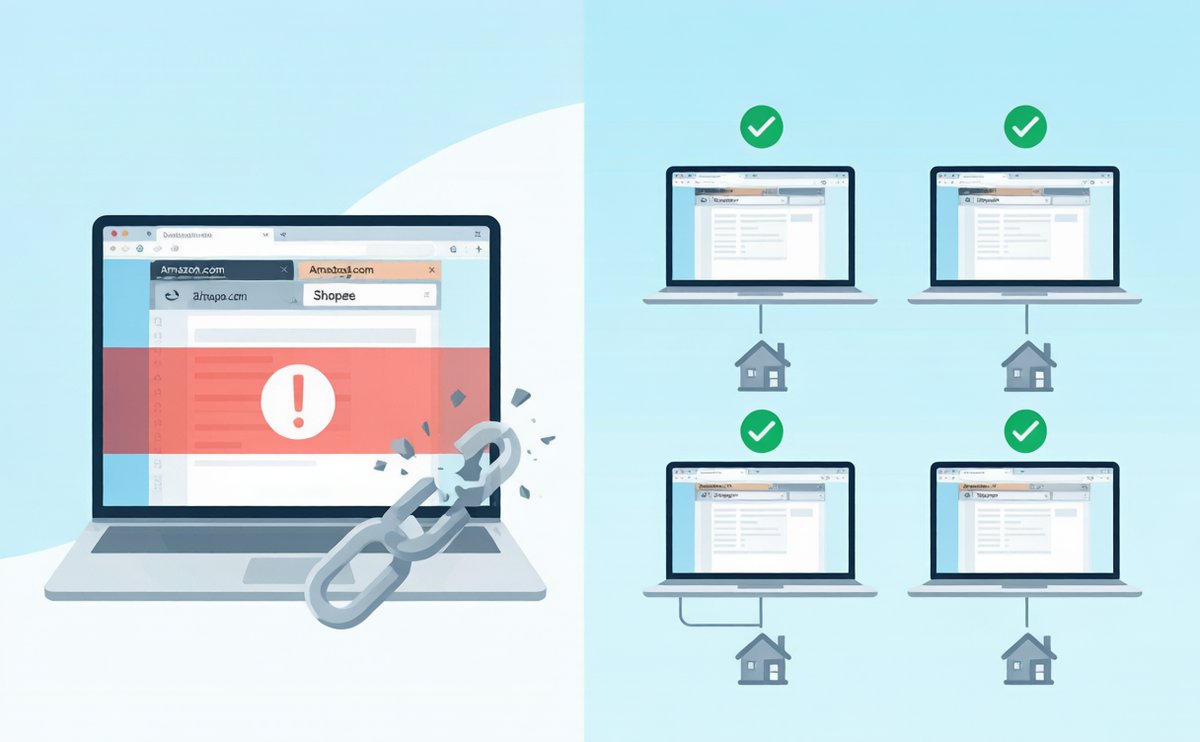
How Platforms Detect Multi-Store Associations
Different platforms have different detection dimensions, but the core logic is the same: multi-factor cross-validation. A platform won’t ban you just because you use the same IP, and it won’t let you off just because you switched IPs. It scores you across multiple signal dimensions, and triggers action when you cross the threshold.
Here are the most common association detection dimensions:
IP Address
The most basic layer. Multiple stores logging in from the same IP, or switching frequently within the same IP range, gets logged. Datacenter IPs are especially problematic — large blocks of datacenter IP ranges have already been flagged by major e-commerce platforms.
Device Fingerprint
Operating system, browser version, screen resolution, timezone, language, font list, Canvas fingerprint, WebGL fingerprint — the works. Even if you change your IP, an identical device fingerprint tells the platform it’s the same machine operating multiple accounts.
Browser Environment
Cookies, Local Storage, Session Storage. If you log into multiple stores in the same browser, this data cross-contaminates and directly exposes the association.
Registration and Verification Information
Company name, legal representative, business license, phone number, email, payout accounts. If any of these overlap or look suspiciously similar across stores, the association risk is extremely high.
Operational Behavior Patterns
Product title formats, pricing strategies, customer service language, shipping addresses, logistics providers, listing schedules. These seemingly unrelated details can all be picked up by the platform’s machine learning models for association analysis.
Payment and Payout
The same payout account linked to multiple stores, the same credit card used for advertising across stores, or payout account registration details mismatched with store information — all trigger association detection.
The Core Anti-Association Strategy: Four-Layer Isolation
Once you understand how platforms detect associations, the strategy becomes clear: every store must be a completely independent“virtual identity.” The industry calls this“four-layer isolation”:
1. IP Isolation
Assign each store a dedicated static residential IP. Not a dynamic IP, not a shared IP, not a datacenter IP — a static, dedicated IP sourced from real home broadband. To any platform, this looks like a normal household user, not a proxy.
IPNut’s static residential ISP proxies cover 220+ countries and regions, with each IP 100% dedicated. They support both HTTP and SOCKS5 protocols — ideal for cross-border e-commerce multi-store scenarios.
2. Device Fingerprint Isolation
Use an anti-detect browser (such as AdsPower, Multilogin, or Dolphin{anty}) to create a separate browser profile for each store. Each profile gets its own Canvas fingerprint, WebGL fingerprint, font list, timezone, and language settings — effectively a brand-new machine from the platform’s perspective.
3. Information Isolation
Use independent registration details for each store: different company entities, legal representatives, phone numbers, email addresses, and payout accounts. Even if you’re the same actual owner, the information the platform sees must not overlap.
4. Behavioral Isolation
Different stores should have different operators, active hours, product lines, pricing strategies, and customer service styles. Don’t let the platform’s AI conclude that“these stores feel like they’re run by the same person.”
Step-by-Step: Building a Secure Store Operating Environment
Here’s the complete workflow for building a secure store environment from scratch:
Step 1: Purchase a Dedicated Static Residential IP
Choose the country/region matching your target market. US marketplace → US residential IP. Thailand Shopee → Thailand residential IP. The key requirements: dedicated, static, residential — all three are non-negotiable. Explore IPNut static residential proxy plans for your target market.
Step 2: Install an Anti-Detect Browser
Download AdsPower or Multilogin and create a new browser profile. Configure the proxy settings in the profile with your static residential IP address, port, protocol (SOCKS5 or HTTP), and authentication credentials.
Step 3: Verify Environment Purity
Open the anti-detect browser and visit whoer.net or ipinfo.io. Confirm: IP location matches your target market, no DNS leaks, WebRTC doesn’t expose your real IP, timezone matches IP location, language settings are correct. Any mismatch can be detected by the platform.
Step 4: Register or Log Into Your Store
Once you’ve confirmed the environment is clean, register or log into your store with independent credentials. From this point on, every time you access this store, you must use the same anti-detect browser profile + the same static IP. Never mix environments.
Step 5: Behavioral Warm-Up
Don’t immediately mass-upload products, make frequent changes, or deploy aggressive pricing on a new store. Mimic the rhythm of a normal merchant. Give the platform’s risk system the signal that“this is a legitimate business.”
Common Mistakes That Get You Banned
These are the most frequent mistakes cross-border sellers make with anti-association — each one can lead directly to a ban:
Using datacenter IPs instead of residential IPs. Datacenter IP ranges are public knowledge, and e-commerce platforms maintain comprehensive datacenter IP databases. Using one is basically telling the platform“I’m on a proxy.”
Multiple stores sharing one IP. Even if the IP is a clean residential IP, multiple stores logging in from the same address is itself a massive association signal.
Operating multiple stores on the same computer. Even if you switch browsers and clear cookies, device fingerprints (Canvas, WebGL, fonts) remain identical. The platform spots this instantly.
Frequent IP changes. Some sellers think frequently switching IPs is safer — it’s actually the opposite. A store whose login IP keeps changing gets flagged for abnormal behavior.
Ignoring mobile. Many sellers set up perfect isolation on desktop, then log into multiple store seller apps on the same phone. Mobile device fingerprints and IPs are detected too.
Mixing payout accounts. Multiple stores linked to the same payout account, or payout account details mismatched with store information — this ranks very high on the risk control priority list.
Platform-Specific Anti-Association Tips
| Platform | Detection Sensitivity | Key Notes |
|---|---|---|
| Amazon | Extremely High | Strict triple detection: IP + device fingerprint + registration info. Multi-store on same marketplace requires complete isolation |
| Shopee | High | Local stores require strict IP location matching. Cross-border stores are relatively more lenient but tightening |
| Walmart | High | Strict onboarding review. IP and payout information are key focus areas during operations |
| Shopify | Medium | Shopify itself is relatively lenient, but payment gateways (Stripe/PayPal) will detect associations |
| eBay | Medium-High | Multiple accounts require advance registration. Detected associations lead to immediate restrictions |
| TikTok Shop | High | Extremely strict IP environment requirements. Must use real residential IPs from the target country |
Summary
The core of cross-border e-commerce multi-store anti-association isn’t about“hiding well”— it’s about making each store look like a completely independent, legitimate merchant. Isolate IP, device, information, and behavior across all four dimensions, and the platform simply has no thread to connect.
Static residential IPs form the foundation of the entire anti-association system. IPNut offers dedicated static residential IPs across 220+ countries and regions, with 99.99% SLA uptime, 0.5-second response time, and support for both HTTP and SOCKS5 protocols. Combined with an anti-detect browser, you can quickly build a secure, stable, long-term operating environment for every store.
Ready to build your secure multi-store operating system? Explore IPNut Static Residential Proxy Plans
FAQ
Q1: How many stores can one static residential IP handle?
Strictly speaking, one IP per store. This is the safest approach. If budget is tight, at minimum ensure different stores on the same platform use different IPs.
Q2: Dynamic residential IP or static residential IP — which should I choose?
Store operations require static residential IPs. Frequent IP changes from dynamic IPs trigger abnormal login detection. Dynamic IPs are better suited for data collection, ad verification, and other scenarios that don’t require persistent sessions.
Q3: Is an anti-detect browser absolutely necessary?
If you operate more than 2 stores, yes. An anti-detect browser isolates not just cookies, but Canvas fingerprints, WebGL fingerprints, and other low-level device information — things you can’t clear manually.
Q4: Can I use a cloud server or VPS instead of a residential IP?
Not recommended. Cloud servers use datacenter IPs, which have already been flagged by major e-commerce platforms. Even with a dedicated VPS, the IP type is still datacenter — the risk control pass rate is far lower than residential IPs.
Q5: I changed my IP and device but still got flagged for association. Why?
Most likely a registration information or payout account issue. Check your business license, legal representative details, phone numbers, email addresses, and payout accounts — make sure each store’s information is independent and non-overlapping.
