



If you run multiple accounts, you’ve heard two terms: “fingerprint browser” and “proxy IP.” But what each one actually does — and which half of account isolation it’s responsible for — is often blurred. This article lays out the division of labor clearly, so you know where to spend and how to set up your environment. The discussion covers browser and network technical principles only; it does not describe specific platform risk-control rules.
1. How Platforms Judge “Are These the Same Account Matrix?”
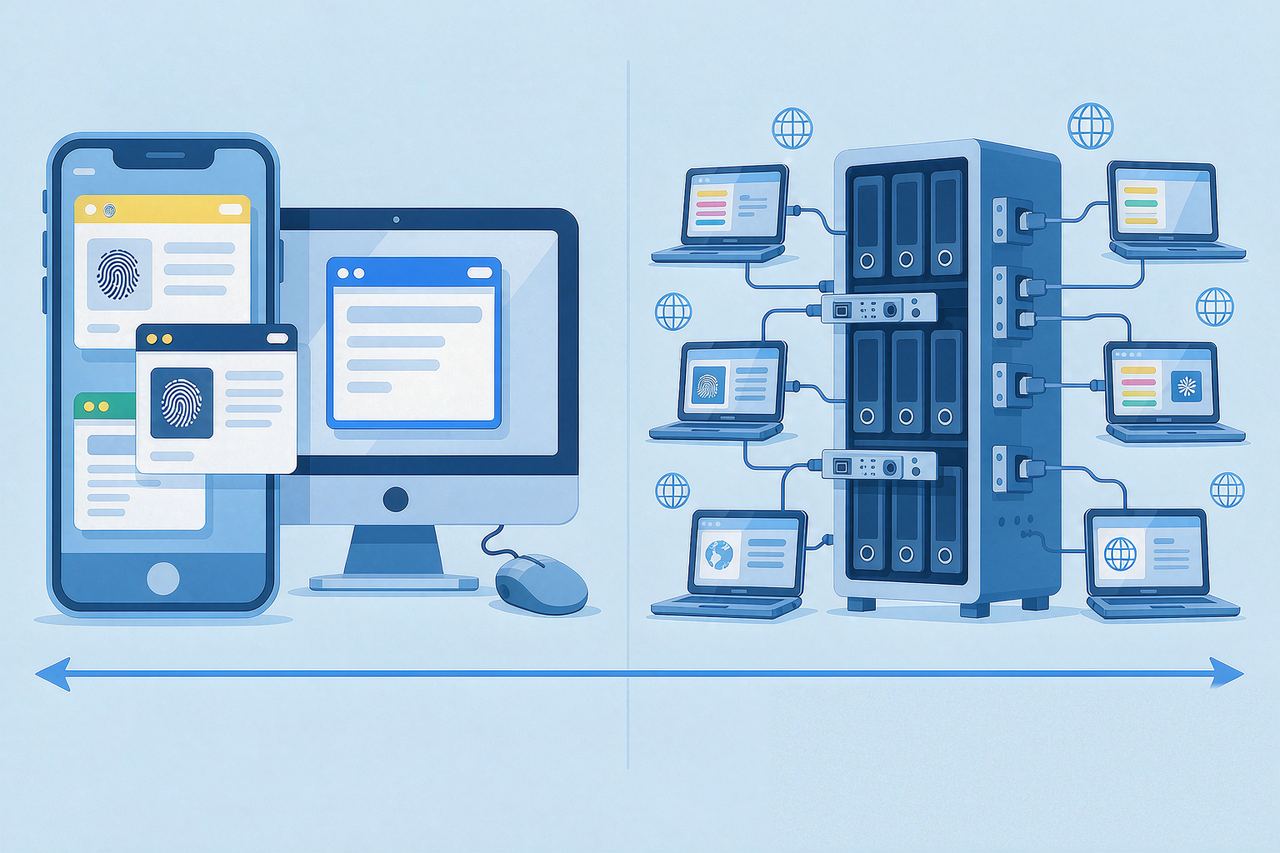
Platform risk control rarely relies on a single signal. It combines a set of them: device info, browser characteristics, network exit, behavior patterns. Two groups are tightly coupled with the “environment”:
- Device/browser layer: OS, browser version, screen resolution, language, timezone, WebRTC hardware fingerprint, Canvas fingerprint, etc.
- Network layer: exit IP ownership, type (residential / datacenter), region, leaks.
A fingerprint browser and a proxy IP map to exactly these two layers.
2. What a Fingerprint Browser Does: Making “Devices” Look Independent
Fingerprint browsers (AdsPower, Hubstudio, etc.) generate an independent browser fingerprint per environment — each environment’s UA, resolution, fonts, and Canvas characteristics differ.
In plain terms: the fingerprint browser “gives each account a different face,” so platforms see accounts coming from different devices.
But here’s the key limitation: the fingerprint only exists at the browser layer. It can’t control which network exit you use.
3. What a Proxy IP Does: Making “Network Exits” Independent
A proxy IP handles the network layer: each environment reaches the platform through a different IP, with exits that differ and stay consistent with the account’s history.
Continuing the analogy: the proxy IP “makes each account leave from a different address.”
If all accounts share one exit IP, the network-side signals overlap heavily — no matter how varied the fingerprints are. IP carries high weight in risk signals because it’s costly to fake and easy to verify for consistency.
4. They Must Work Together — Neither Is Enough Alone
| What you configure | The problem you’ll see |
|---|---|
| Fingerprint browser only, no proxy | All environments share one exit IP; network signals fully overlap |
| Proxy only, no fingerprint | Device fingerprints match; platforms can correlate at the device layer |
| Both, but region/timezone mismatch | “Character” contradiction: IP in the US, timezone in Beijing |
| Both, and consistent | Each environment = “independent device + independent network,” hardest to correlate |
That last combination is the standard answer: the fingerprint decides “who you are,” the IP decides “where you are” — if the two don’t line up, the act falls apart.
5. The Most Common Pairing Mistakes
- Switching IP without rebuilding the fingerprint environment — reusing Environment A’s fingerprint in Environment B is like changing your face only halfway.
- Timezone, language, and keyboard layout not aligned with the IP region — a US IP with a Chinese timezone is an instant tell.
- WebRTC not handled — WebRTC leaking your real network IP makes both the fingerprint and the proxy pointless.
- Multiple environments sharing one IP pool — unless it’s a deliberate “stable shared network” strategy for the same batch of accounts, avoid cross-account network overlap.
6. FAQ
Q: Can I just use a fingerprint browser and skip the proxy?
A: It depends. For multi-account use on the same machine, the fingerprint handles the device layer, but the exit IP is still identical — network signals overlap, and correlation risk remains. For real isolation, the network layer must be independent.
Q: Is the built-in “proxy check” in a fingerprint browser trustworthy?
A: It verifies whether the current environment’s exit IP matches what you filled in — a basic connectivity check. For a fuller picture (IP type, leaks, region consistency), cross-check with a dedicated detection tool.
Q: Can one proxy IP serve multiple fingerprint environments?
A: Technically yes, operationally be careful. Multiple environments sharing one IP means they’re “one family” at the network layer — fine for a deliberate shared strategy; for isolation, one environment per dedicated IP is safer.
7. Summary
A fingerprint browser and a proxy IP split the work between device layer and network layer: the former makes devices look independent, the latter makes network exits independent, and only when both are consistent is the environment clean. One rule of thumb to remember — fingerprint, IP, timezone, language, and keyboard layout: all five aligned.
After setup, use IPNut‘s detection tool to check your exit IP type and region, and confirm WebRTC shows no leak, before putting it into production. Choose a Static Residential ISP or a Static Datacenter as your environment needs dictate.
