



When a team runs multiple accounts together (several people managing a batch of accounts), the messiest part is “who is using which environment, which IP, and which account.” This article covers a network-layer team plan: how to establish clear account-browser-environment-IP mappings, how fixed allocation works, and the record/handover standards when multiple people share an environment. It covers network-environment management methods only; account permissions and team-management features depend on what your tools/platform actually provide.
1. Why Team Scenarios Need IP Planning More
For individuals with few accounts, remembering mappings works; teams quickly run into:
- Shared exits: several people logging into different accounts from the same IP → accounts share some network-environment signals, which isn’t good for managing accounts’ network environments separately
- Messy account-IP relations: no one knows which IP an account is bound to; new accounts grab any IP → untraceable
- Operation conflicts: people switch exits around at the same time → frequent environment changes
Team multi-account IP planning is essentially making the “account—browser environment—IP” relationship rule-based, recorded, and traceable.
2. Core Principle: Clear Account—Environment—IP Mappings
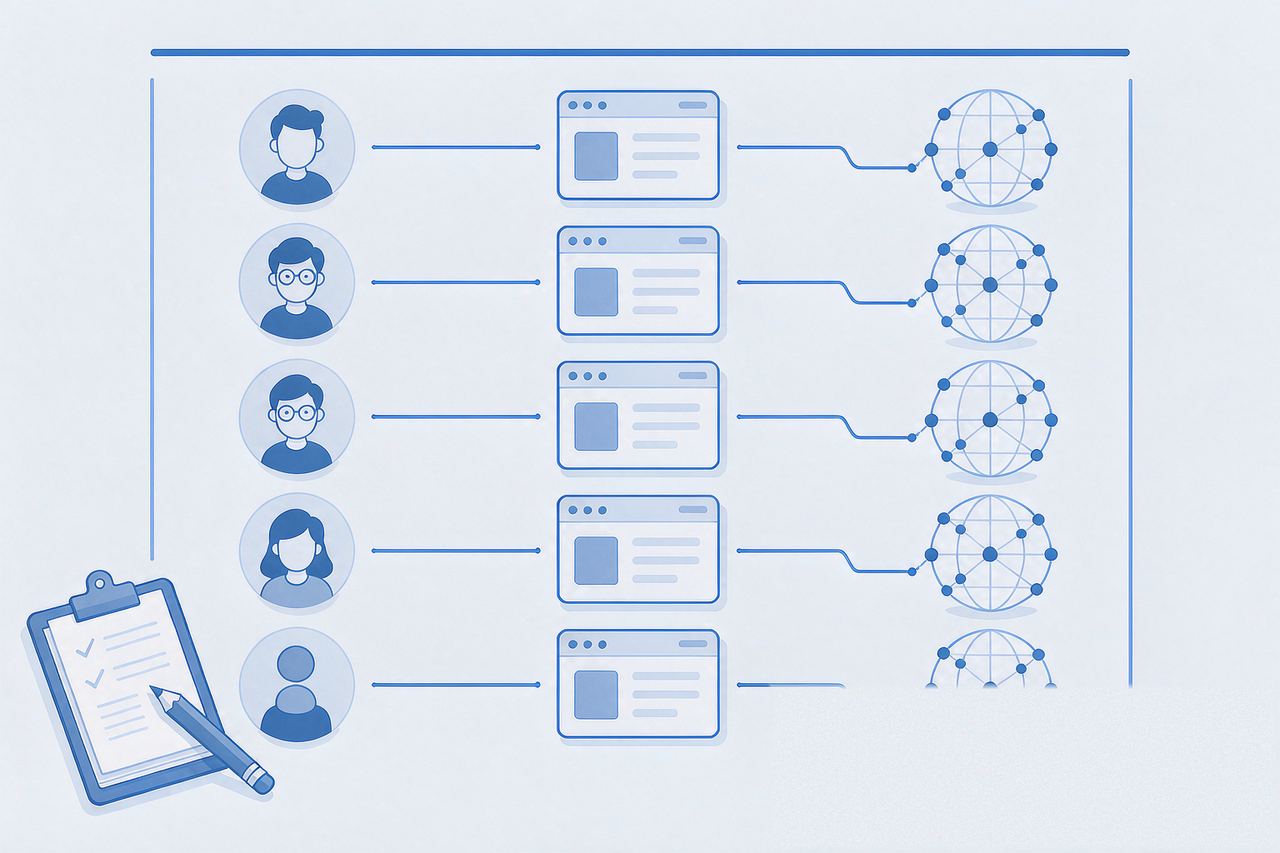
- Account ↔ independent exit IP (optional approach): for teams needing separate network-environment management, you can build one-to-one account-to-independent-exit-IP mappings to reduce network-environment overlap from long-term exit sharing — this is a recommended network-environment management approach, not a hard rule every business must follow
- Fixed long-term use: bind and avoid frequent changes; keep configs stable (for IP types, see Native IP vs Datacenter IP)
- Scale by business: add environment/IP configs as new accounts come in
For team multi-account management, establish the account-browser-environment-exit-IP mapping together, think of it as:
Account → Browser environment → Fixed IPThis way, adding accounts, handing over, or troubleshooting quickly traces the environment and network exit in use. Example (illustrative only, not a platform requirement):
| Account | Browser env | Fixed IP | Region | Person | Purpose |
|---|---|---|---|---|---|
| Account A | Env-A | IP-A | US | Zhang | Ads |
| Account B | Env-B | IP-B | UK | Li | Store |
| Account C | Env-C | IP-C | SG | Wang | Content |
3. Usage Standards for Shared Team Environments
1. Account—environment—IP record table (required)
Keep a table recording: account / browser environment / fixed IP / region / assigned person / purpose. Before using an account, check the table and use that account’s environment — no random connections. What teams really track is “account → environment → IP.”
2. One person, multiple accounts — environments stay clear
Each operator should use the account’s corresponding browser environment when logging in, not jump between environments casually. One person can handle multiple accounts, but each account should have a clear environment-and-IP mapping.
3. Three bottom lines to avoid cross-account slips
- Don’t log into other accounts in the wrong browser environment
- Don’t change an account’s exit IP without recording it
- When an account shows anomalies, first check the record table to confirm the account-environment-IP mapping (troubleshooting: the suspicious-activity checklist)
4. FAQ
Q: Do teams need an IP management tool?
A: Depends on scale. Small teams can use a record table plus fixed allocation; for larger scale, consider browser tools with proxy/environment management (e.g., AdsPower/Hubstudio — see the AdsPower tutorial), planned per the tool’s actual features.
Q: Can an IP be reassigned to another person?
A: Yes, but follow the record and handover process: update the assigned person, confirm the account’s browser environment and IP info, and avoid unrelated accounts casually sharing one exit.
Q: More accounts than IPs — what to do?
A: If IPs are limited, prioritize core business accounts. Whether other accounts share exits should be judged by actual business relationships and platform use cases — rather than chasing formal one-to-one via frequent IP changes, keep existing environments stable and clearly record which accounts share an exit. With limited IPs, stable, clear allocation beats frequent switching.
5. Summary
Team multi-account IP planning centers on clear “account—browser environment—IP” mappings, keeping configs stable, allocation clear, and records traceable. For accounts needing independent network environments, plan with one-account-one-IP; if the business allows shared exits, record the account relationships clearly.
Core logic: many accounts → environments get messy → build mappings → allocate fixed → record and hand over → traceable when issues arise. More IPs isn’t better; clearer account-environment-IP relationships make team operations easier to manage.
To allocate network exits by account count, IPNut‘s Static Residential ISP (fixed IP + fixed exit + ISP/residential attributes) lets you plan independent fixed exits by account count; for WhatsApp multi-account setups, see the WhatsApp static IP plan; for data tasks, use Static Datacenter IPs.
